Accessing the CAPA Detail Record
- From the SmartSolve Portal Page > CAPA Management section of the list, select Find > CAPA.
Result: The CAPA saved search window is displayed. - Click the CAPA Number to open the record.
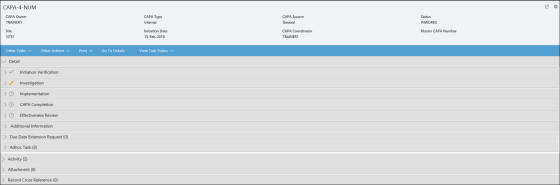
CAPA Detail Information
| Information | Description |
|---|---|
|
Header |
The header of the CAPA record contains the following information:
|
|
Other Tasks |
Displays information about currently routed tasks in the workflow. |
|
Other Actions |
Displays information about actions that can be taken by the logged on user for the CAPA record. |
|
|
Allows the user to print the CAPA Detail report. |
|
Go To Details |
Takes the user to the Detail section. |
|
View Task Status |
Displays the current status of the tasks in the CAPA workflow. |
|
Detail |
Displays the information entered during each step in the CAPA workflow. |
|
Activity |
Displays the Audit Trail information for the CAPA record. |
|
Attachment |
Displays any files that have been attached to the CAPA record. |
|
Record Cross Reference |
Displays any records that have been attached to the CAPA as a reference. |